You are not logged in.
#1 17-06-2020 18:13:15
- johnedward
- Admin & Trader

- From: Paris - France
- Registered: 21-12-2009
- Posts: 3926
- Website
cTrader Desktop 3.8 adds a new series of technical indicators
cTrader Desktop 3.8 adds a new series of technical indicators

Spotware Systems has announced the release of cTrader Desktop 3.8. This version includes popular drawing features, such as the ability to lock, hide, duplicate using the "Ctrl" key and further customise drawings. Traders' accounts can now be hidden, a new language is available and seven additional indicators have been added to the platform's indicator library.
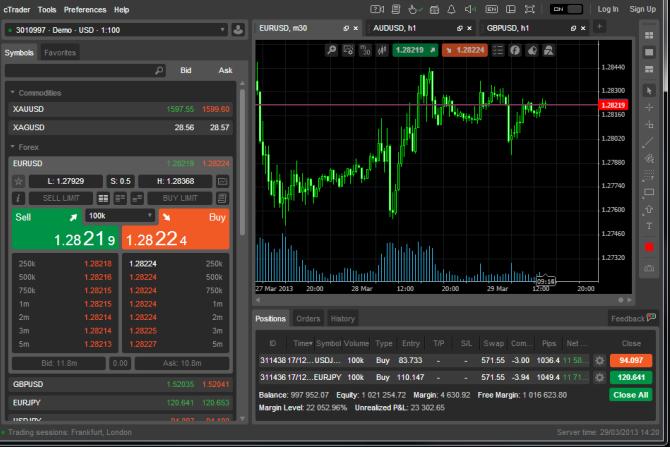
The list of new integrated indicators includes the Hull moving average, the directional movement index, the alligator, the super trend, the cyber cycle, the polynomial regression channel and fractals.
There are also changes to the cTrader Automate API. New IsLocked and IsHidden properties are now available for all graphic objects. In addition, the following new properties have been added for ChartText: FontSize, IsBold, IsItalic and IsUnderlined. Seven new integrated indicators are also available via the API.
A new window has been added, allowing investors to manage drawings and indicators right on the chart. Traders can search and view their drawings by symbol, while charts can also be scrolled to the selected drawings.
Traders have the option to lock the drawings. Once a drawing is placed on the graph, its position can now be locked to avoid accidental clicks by the mouse. Drawings can now be temporarily hidden using the Hide / Show toggle button in the Object Manager. The "Hide All Drawings" button allows traders to quickly hide all the drawings on the chart, in order to see a clear picture of the prices or to create a new drawing without any visual barrier.
Accounts can be hidden using a new button. Hidden accounts will be placed in a "Hidden accounts" submenu, where they can always be used or made visible again.
For the record, in the platform's previous version, a fully integrated economic calendar became available. Traders also had access to multi-symbol backtesting for cTrader Automate.
Open a cTrader demo account with Pepperstone
"Anything worth having is worth going for - all the way." - J.R. Ewing
Offline